Notice
TCL Industries Holdings Co., Ltd. (the "Company") has recently been made aware of certain scams fraudulently using the name of the Company and its subsidiaries or associated companies, and fraudsters faking identities as the staff of the Company or the authorized distributors to carry out the following fraudulent activities: Learn More


Colorful choices designed to win your heart*

Cloud Green
Inspired by the hazy gray-green cyan tone right after misty rain, it is
as gentle as jade, clean and elegant.

Cloud Blue
Inspired by the deep blue of the night sky, the deep blue tone paired with
minimalist lines presents a calm, focused and composed vibe.
*Color availability varies by market.
*Color availability varies by market.
Stargate Aesthetic Design
Inspired by interstellar exploration, it transports you across parallel universes,
letting you immerse yourself in every spectacular frame.
Inspired by interstellar exploration, it transports you across parallel universes,
letting you immerse yourself in every spectacular frame.

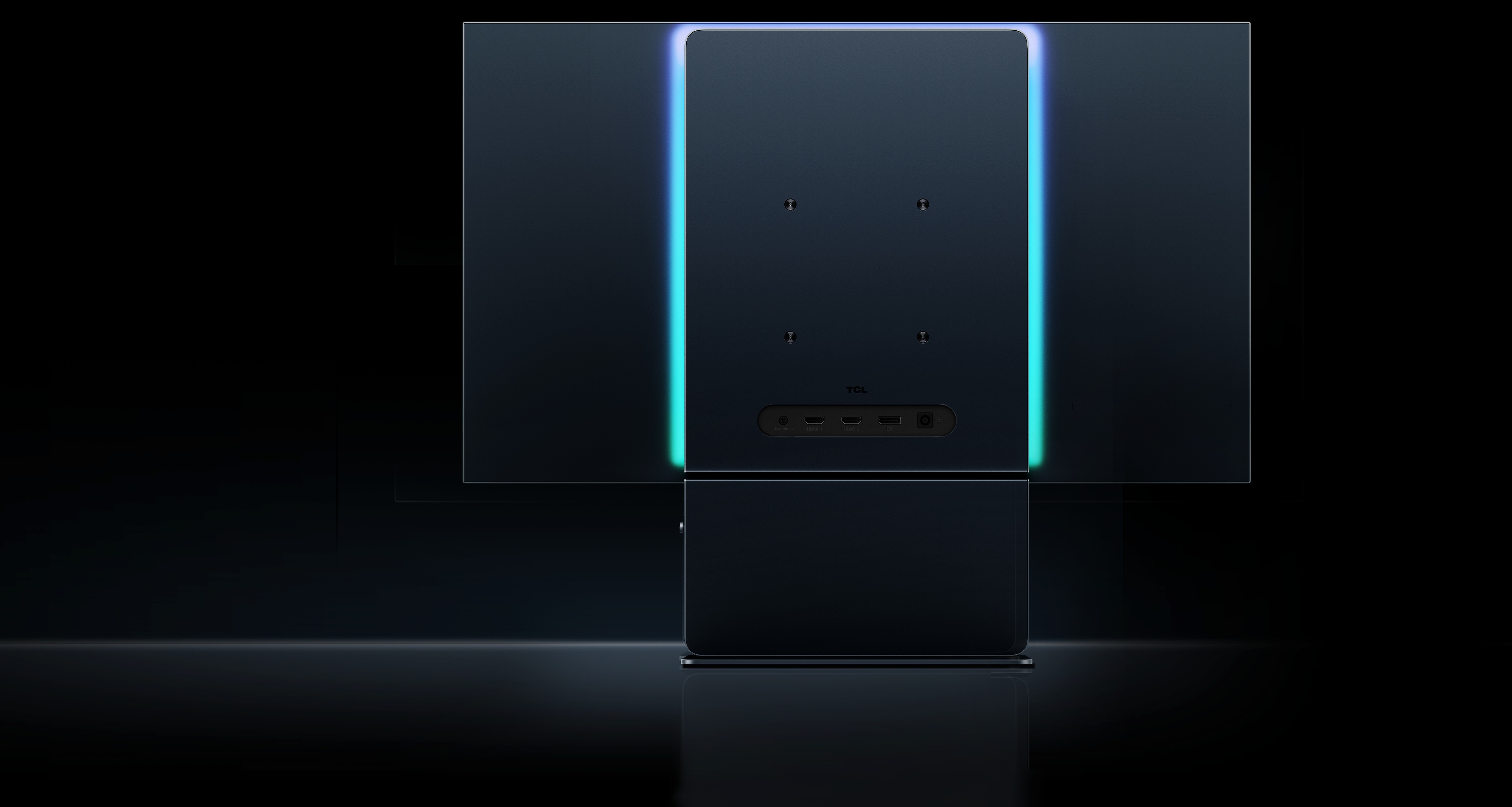
Four-sided Near-borderless design


A Stargate Glow
Indirect, low-glare breathing light.
Indirect, low-glare breathing light.
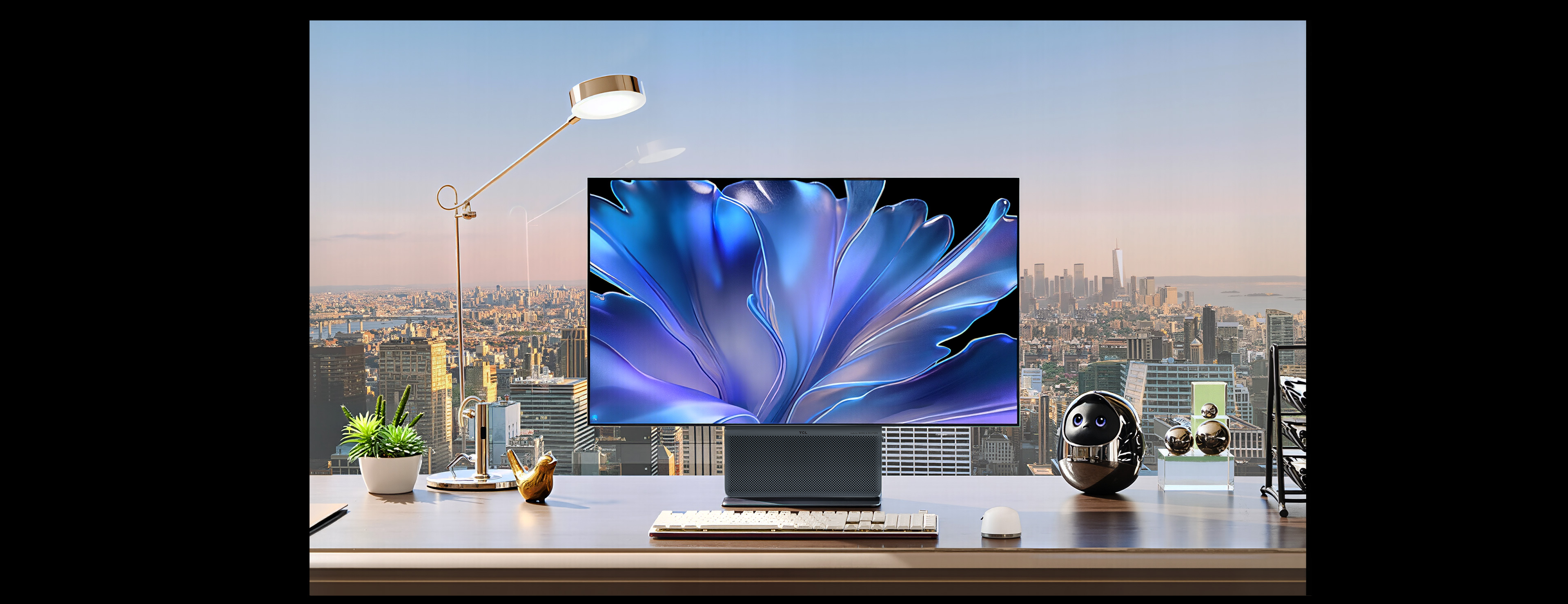
A Masterpiece on Your Desktop

OLED+ Technology
Crystal Clear, True-to-Life Reproduction
OLED+ is TCL’s flagship OLED display technology that integrates our latest‑generation OLED panels with algorithm technologies. It is designed to help reduce visible grayish tint and color fringing under specified conditions, delivering a bright, realistic, and clear picture quality experience.
Tandem WOLED | Primary RGB Tandem 2.0 | Glossy & Ultra-Low Reflection
Matrix-Pure Pixels | DisplayHDR TrueBlack 500
OLED+ is TCL’s flagship OLED display technology that integrates our latest‑generation OLED panels with algorithm technologies. It is designed to help reduce visible grayish tint and color fringing under specified conditions, delivering a bright, realistic, and clear picture quality experience.
Tandem WOLED
Primary RGB Tandem 2.0
Glossy & Ultra-Low Reflection
Matrix-Pure Pixels
DisplayHDR TrueBlack 500

Pure Black Levels
Deeper Black, Greater Clarity

*Images/graphics are for illustration purposes only. Actual appearance and performance may vary depending on usage environment and settings.
*Images/graphics are for illustration purposes only. Actual appearance and performance may vary depending on usage environment and settings.
Matrix-Pure Pixels
Reduced Color Fringing, Sharper Edges

*Images/graphics are for illustration purposes only. Actual appearance and performance may vary depending on usage environment and settings.
*Images/graphics are for illustration purposes only. Actual appearance and performance may vary depending on usage environment and settings.
Tandem WOLED
New Benchmark for OLED Picture Quality
Tandem WOLED represents the latest advancement in WOLED technology. Innovative Primary RGB Tandem 2.0 Technology helps reduce visible haze caused by ambient reflections, delivering a massive leap in brightness and vivid, lifelike picture quality.
Tandem WOLED represents the latest advancement in WOLED technology. Innovative Primary RGB Tandem 2.0 Technology helps reduce visible haze caused by ambient reflections, delivering a massive leap in brightness and vivid, lifelike picture quality.
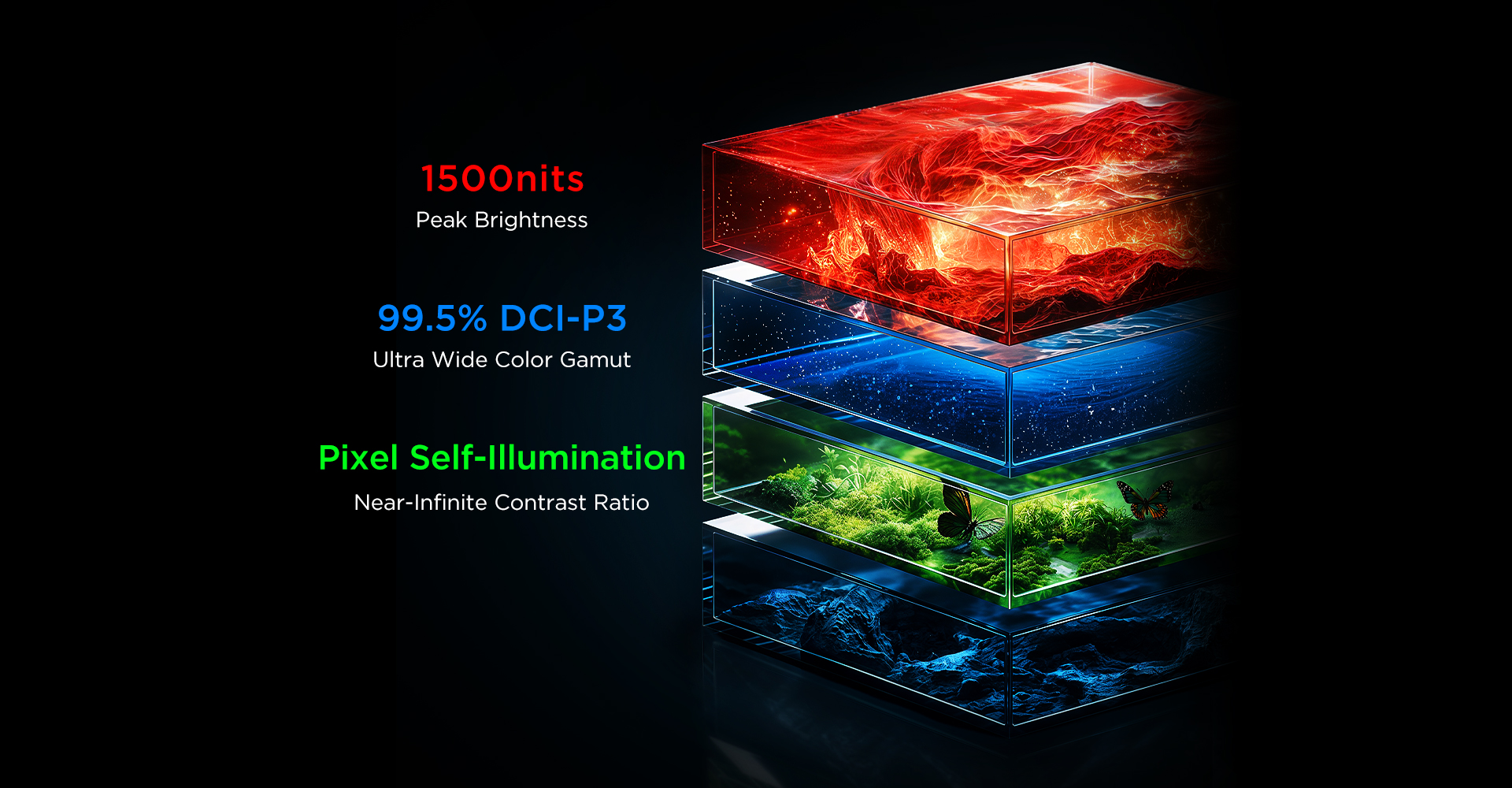
Primary RGB Tandem 2.0 Technology
By upgrading the traditional 3 stack OLED to a 4 stack Primary RGB Tandem structure, we significantly enhance spectral purity and energy efficiency. This delivers a massive boost in brightness and color gamut for unparalleled picture quality.
By upgrading the traditional 3 stack OLED to a 4 stack Primary RGB Tandem structure, we significantly enhance spectral purity and energy efficiency. This delivers a massive boost in brightness and color gamut for unparalleled picture quality.

| Primary RGB Tandem 2.0 WOLED | Conventional Tandem WOLED |
1500nits Peak Brightness
Brilliant Highlights, Profound Depth
OLED technology enables independent control of each beam of light. 1500nits peak brightness delivers pure dark scenes and transparent bright highlights.
| Primary RGB Tandem 2.0 WOLED | Conventional Tandem WOLED |
OLED technology enables independent control of each beam of light. 1500nits peak brightness delivers pure dark scenes and transparent bright highlights.

HDR Gaming · More Realistic
Up to 1,500 nits peak brightness helps reveal detail in both bright highlights and dark scenes, making the sun’s gleam and the rays through clouds easier to see.
Up to 1,500 nits peak brightness helps reveal detail in both bright highlights and dark scenes, making the sun’s gleam and the rays through clouds easier to see.

HDR Movies · Richer Details
335nits full-white brightness ensures that the highlight parts of the movie picture will not be over exposed, and the dark details are deep and clear, as if you are standing on the scene overlooking the vast world in the movie.
335nits full-white brightness ensures that the highlight parts of the movie picture will not be over exposed, and the dark details are deep and clear, as if you are standing on the scene overlooking the vast world in the movie.

*Images/graphics are for illustration purposes only. Actual appearance and performance may vary depending on usage environment and settings.
*Images/graphics are for illustration purposes only. Actual appearance and performance may vary depending on usage environment and settings.
Ultra Wide Color Gamut
Pure Colors, True-to-life Presentation
With 99.5% DCI-P3 ultra wide color gamut and 99.5% sRGB color gamut, this screen can present real and shocking colors for you, allowing you to immerse yourself in the beautiful world of AAA games and experience the original vivid colors in film blockbusters.
| 99.5% DCI-P3 Color Gamut |
99.5% sRGB Color Gamut |
With 99.5% DCI-P3 ultra wide color gamut and 99.5% sRGB color gamut, this screen can present real and shocking colors for you, allowing you to immerse yourself in the beautiful world of AAA games and experience the original vivid colors in film blockbusters.
| 99.5% DCI-P3 Color Gamut |
99.5% sRGB Color Gamut |

*Data sourced from TCL Laboratories. Actual results may vary due to differences in testing environments, standards, equipment, and other objective factors (e.g., product variations or manufacturing batches).
*Data sourced from TCL Laboratories. Actual results may vary due to differences in testing environments, standards, equipment, and other objective factors (e.g., product variations or manufacturing batches).
Native 10 Bit Color
Seamless Color Transitions
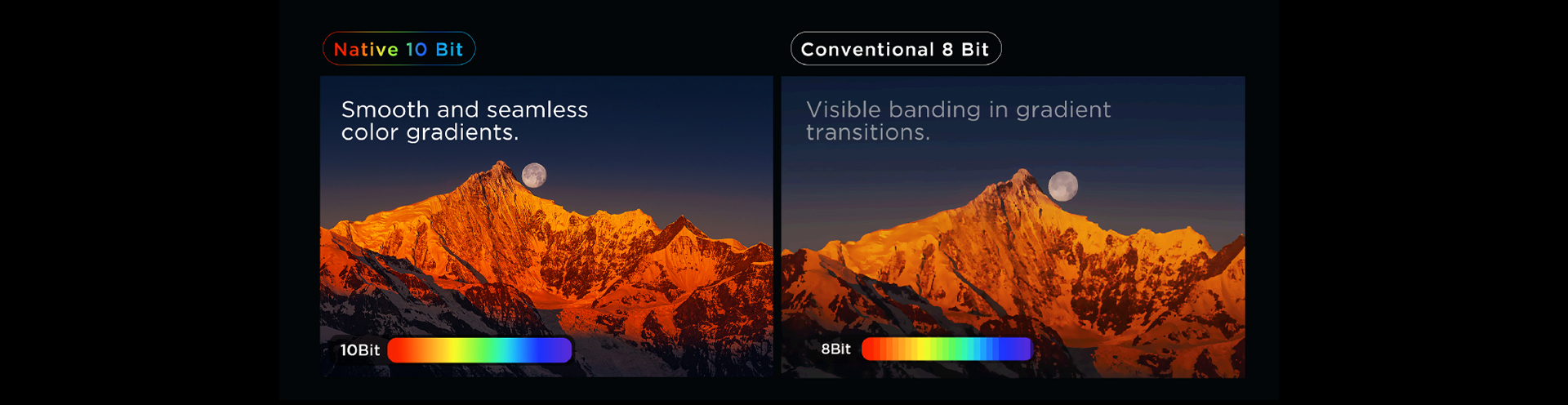
*Images/graphics are for illustration purposes only. Actual appearance and performance may vary depending on usage environment and settings.
*Images/graphics are for illustration purposes only. Actual appearance and performance may vary depending on usage environment and settings.
Ultra-Wide Viewing Angles
Beautiful from Every Perspective

*Images/graphics are for illustration purposes only. Actual appearance and performance may vary depending on usage environment and settings.
*Images/graphics are for illustration purposes only. Actual appearance and performance may vary depending on usage environment and settings.
Glossy & Ultra-Low Reflection
Crystal Clear Clarity
X3B innovatively adopts circular polarization ultra-low reflection technology, efficiently absorbing ambient reflection to reduce screen reflectance to as low as 1.1%. It eliminates gray and hazy picture while providing strong anti-glare performance, bringing pure, transparent and clear visuals.
X3B innovatively adopts circular polarization ultra-low reflection technology, efficiently absorbing ambient reflection to reduce screen reflectance to as low as 1.1%. It eliminates gray and hazy picture while providing strong anti-glare performance, bringing pure, transparent and clear visuals.
Circular Polarization Ultra-Low Reflection Technology

*Images/graphics are for illustration purposes only. Actual appearance and performance may vary depending on usage environment and settings.
*Images/graphics are for illustration purposes only. Actual appearance and performance may vary depending on usage environment and settings.

QHD 280Hz Refresh Rate
More responsive controls.
With an ultra-high 280Hz refresh rate for incredibly fluid frame transitions, you can instantly capture critical details during intense team fights or quick flick shots. Stay one step ahead of the enemy and secure the unexpected victory.
With an ultra-high 280Hz refresh rate for incredibly fluid frame transitions, you can instantly capture critical details during intense team fights or quick flick shots. Stay one step ahead of the enemy and secure the unexpected victory.

Black Frame Insertion (BFI) technology
Game with Crystal Clear Frame
BFI (Black Frame Insertion) technology reduces visual persistence by inserting pure black frames, eliminating motion blur/ghosting so the edges of fast-moving images remain sharp.
BFI (Black Frame Insertion) technology reduces visual persistence by inserting pure black frames, eliminating motion blur/ghosting so the edges of fast-moving images remain sharp.


*The BFI function is restricted to a 140Hz refresh rate. Enabling BFI will result in reduced screen brightness, which is a normal operational characteristic.
*Images/graphics are for illustration purposes only. Actual appearance and performance may vary depending on usage environment and settings.
*The BFI function is restricted to a 140Hz refresh rate. Enabling BFI will result in reduced screen brightness, which is a normal operational characteristic.
*Images/graphics are for illustration purposes only. Actual appearance and performance may vary depending on usage environment and settings.
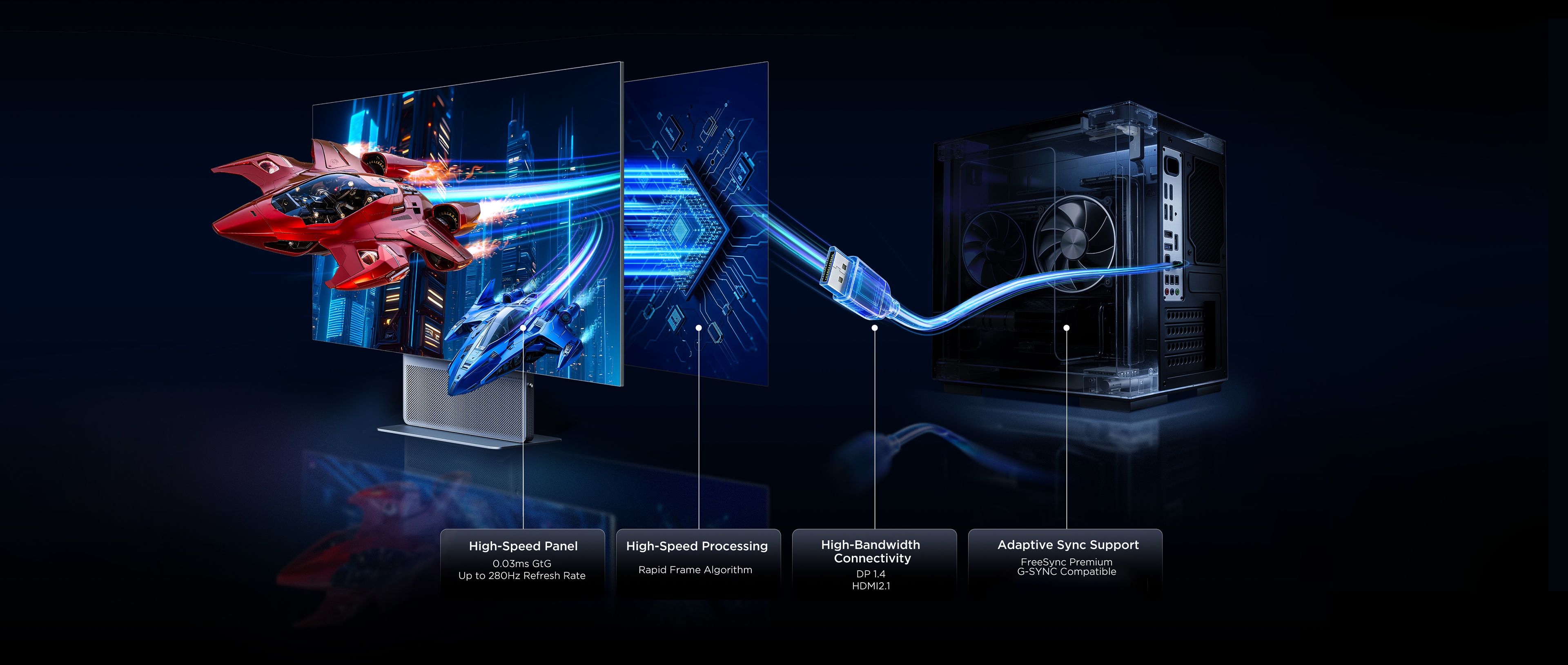
End-to-End Ultra-Low Latency
Every stage optimized for speed
Every action feels instant
Rapid Frame Technology
Reduces screen latency by 50%
Always a frame ahead
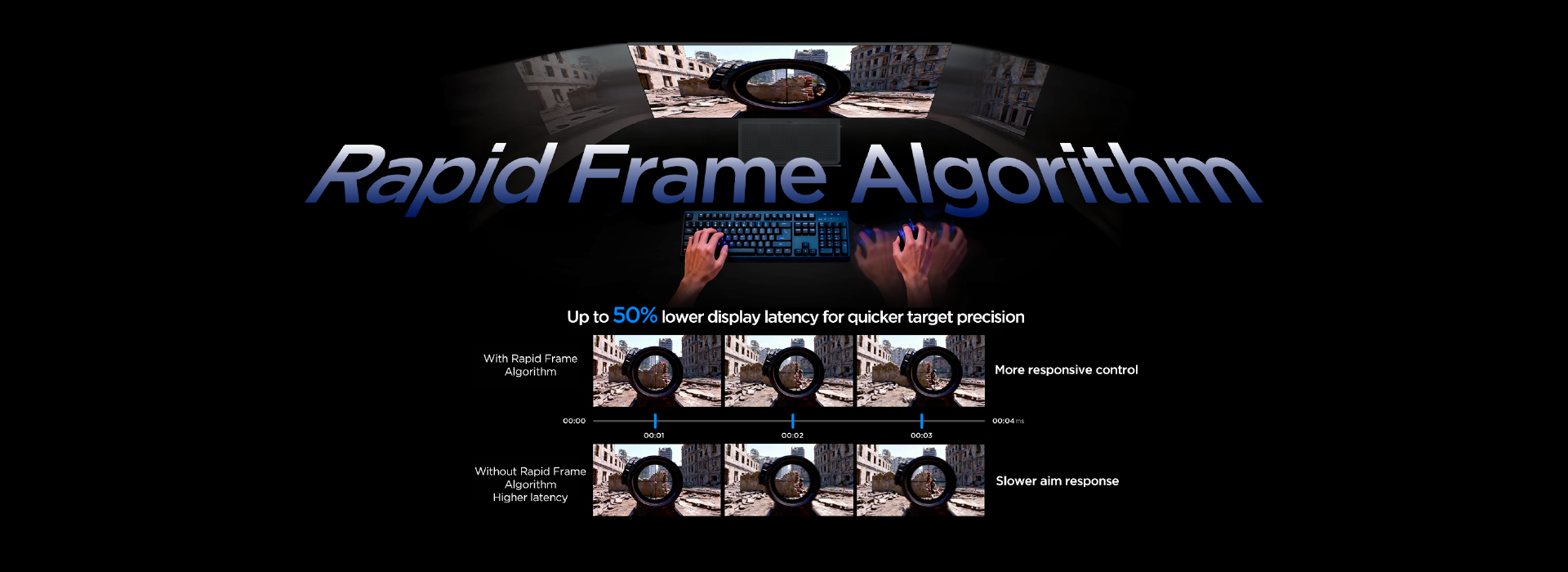
*Comparison images are for illustration purposes only to demonstrate technical benefits. Actual display performance may vary.
*Data sourced from TCL Laboratories. Actual results may vary due to differences in testing environments, standards, equipment,and other objective factors (e.g., product variations or manufacturing batches).
*Comparison images are for illustration purposes only to demonstrate technical benefits. Actual display performance may vary.
*Data sourced from TCL Laboratories. Actual results may vary due to differences in testing environments, standards, equipment,and other objective factors (e.g., product variations or manufacturing batches).
Smart Gaming Assistant
Tactical Enhancements for Competitive Play
Smart Flashbang Quick Wake
Smart Flashbang Quick Wake will quickly perform calculation compensation on the game screen after the character is blinded by flashbang-like props, allowing players to recover their vision faster after being flashed and return to the battle quickly.
Smart Flashbang Quick Wake will quickly perform calculation compensation on the game screen after the character is blinded by flashbang-like props, allowing players to recover their vision faster after being flashed and return to the battle quickly.

Smart Crosshair Inversion
Turn on Smart Crosshair Inversion to automatically invert the crosshair color against the on-screen background, making it more visible and eye-catching.
Turn on Smart Crosshair Inversion to automatically invert the crosshair color against the on-screen background, making it more visible and eye-catching.

Shadow Boost
This function will intelligently brighten the dark parts of the display picture, helping players track enemies hidden in dark corners.
This function will intelligently brighten the dark parts of the display picture, helping players track enemies hidden in dark corners.


A Century of Heritage, Purest Acoustics
Every unit is a masterpiece dedicated to the purity of sound.

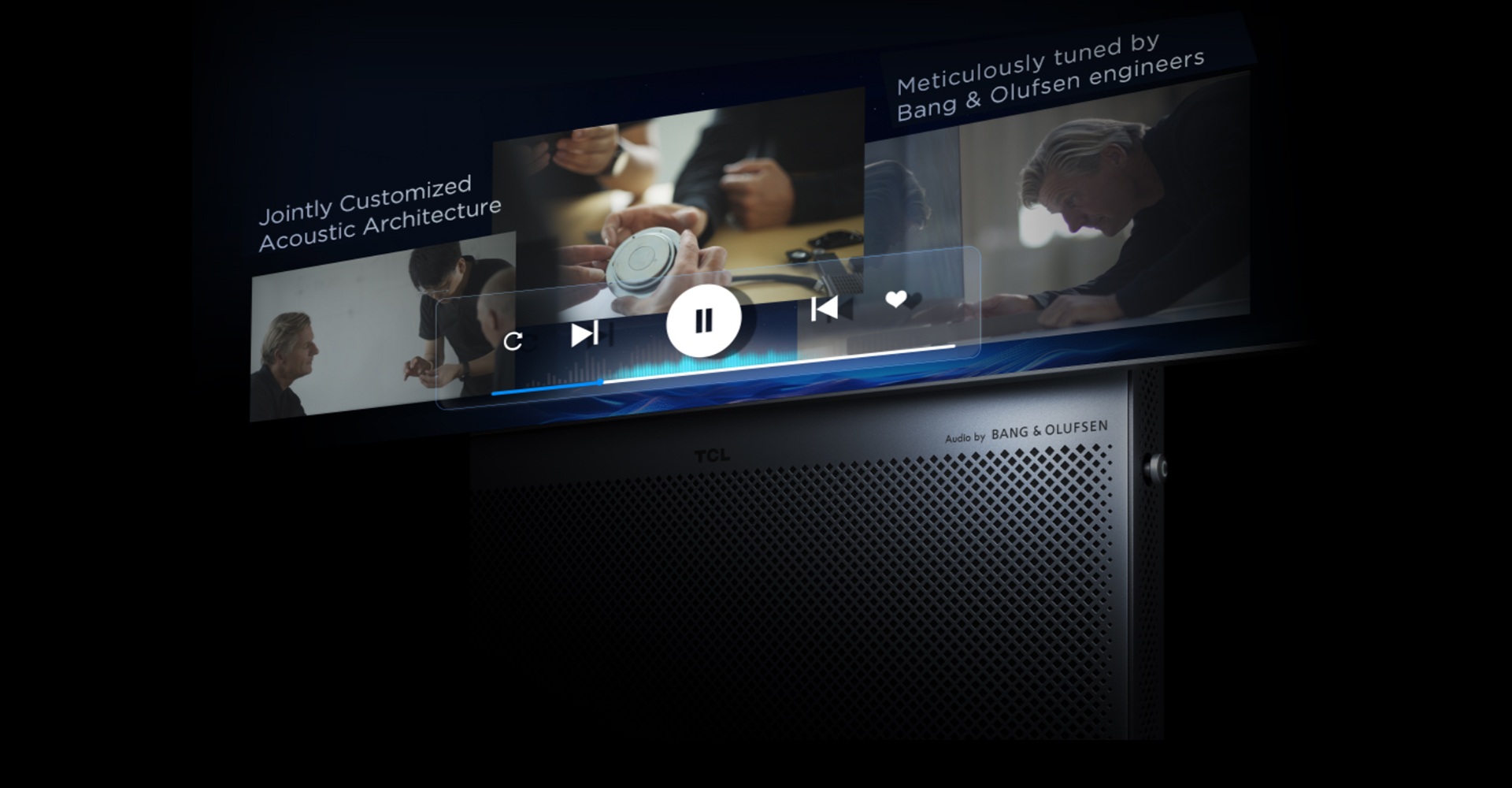
Front-Firing Speaker System
Front-firing sound delivered straight to your ears.
TCL’s best integrated front-firing monitor design. Unlike traditional downward-firing speakers, sound travels directly toward you without reflecting off the desk surface.* By reducing reflection loss, audio remains clearer and more accurate, creating a dedicated desktop soundstage.
TCL’s best integrated front-firing monitor design. Unlike traditional downward-firing speakers, sound travels directly toward you without reflecting off the desk surface.* By reducing reflection loss, audio remains clearer and more accurate, creating a dedicated desktop soundstage.

| No surface reflection loss | Potential clarity loss |
| No surface reflection loss | Potential clarity loss |

*Images/graphics are for illustration purposes only. Actual appearance and performance may vary depending on usage environment and settings.
*Images/graphics are for illustration purposes only. Actual appearance and performance may vary depending on usage environment and settings.
Professional Acoustic DSP
Built-in professional audio Digital Signal Processor, deeply tuned in collaboration with Bang & Olufsen to enhance spatial depth, improve sound localization, and deliver a more immersive listening experience.
Built-in professional audio Digital Signal Processor, deeply tuned in collaboration with Bang & Olufsen to enhance spatial depth, improve sound localization, and deliver a more immersive listening experience.

Immersive Spatial Audio
Ultimate Immersive Experience


Comfortable Vision
Comfortable for Long Viewing
 |
 |
| UL Flicker-Free Display Certified | UL Low Blue Light Hardware Solution Certified |
 |
 |
| UL Flicker-Free Display Certified | UL Low Blue Light Hardware Solution Certified |
*UL Flicker-Free Display(OLED), Low Blue Light Platinum(Hardware Solution) certifications apply only to OLED screens.
*UL Flicker-Free Display(OLED), Low Blue Light Platinum(Hardware Solution) certifications apply only to OLED screens.
Flicker-Free Dimming
Say goodbye to annoying low-light flicker. Make every late-night movie a pure delight.
Say goodbye to annoying low-light flicker. Make every late-night movie a pure delight.

*Images/graphics are for illustration purposes only. Actual appearance and performance may vary depending on usage environment and settings.
*Images/graphics are for illustration purposes only. Actual appearance and performance may vary depending on usage environment and settings.

Adaptive Brightness
Color Temperature
The monitor senses ambient light and automatically
adjusts brightness and color temperature
for comfortable viewing.
Hardware Low Blue Light
Filters high-energy blue light at the source without distorting color accuracy. Natural color reproduction with reduced eye strain for all-day comfort.
Filters high-energy blue light at the source without distorting color accuracy. Natural color reproduction with reduced eye strain for all-day comfort.

*The eye care technologies are designed to improve viewing comfort and reduce eye fatigue, but they are not intended as medical treatments.
*The effectiveness may vary depending on individual usage, viewing environment, and device settings. For any eye health concerns, please consult with a qualified healthcare professional or ophthalmologist.
*The eye care technologies are designed to improve viewing comfort and reduce eye fatigue, but they are not intended as medical treatments.
*The effectiveness may vary depending on individual usage, viewing environment, and device settings. For any eye health concerns, please consult with a qualified healthcare professional or ophthalmologist.
Anti-Burn Shield
Built for Long-Term Reliability

*To ensure optimal display performance, the system will prompt a "Pixel Refresh" after extended use. Please follow the on-screen instructions. The process takes only a few minutes and will be followed by an automatic restart.
*To ensure optimal display performance, the system will prompt a "Pixel Refresh" after extended use. Please follow the on-screen instructions. The process takes only a few minutes and will be followed by an automatic restart.
Comprehensive Connectivity

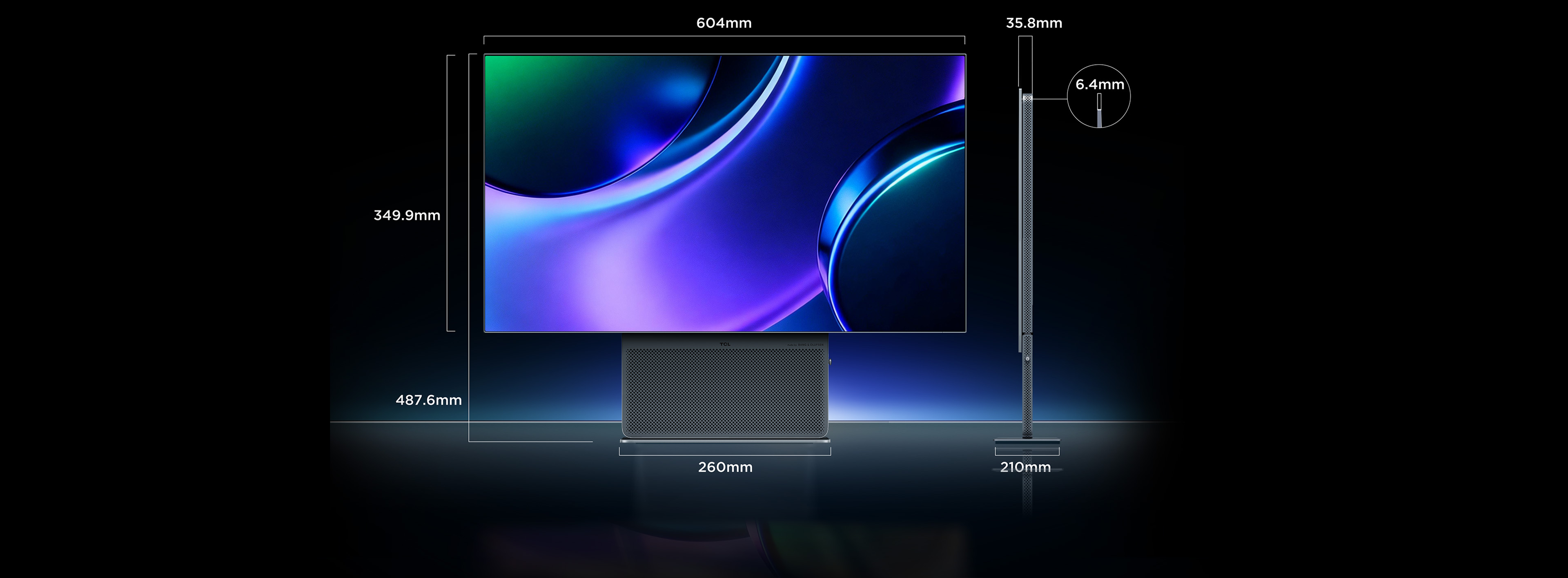

*Under strong light or specific angle of light irradiation, you may observe tiny "positioning dots" at the lower bezel of the monitor. These are process reference points that must be retained on the screen during the automated production and assembly process; they are a normal part of the manufacturing process and do not constitute defects or quality issues.
*This monitor is equipped with a 2D ambient light sensor system. The sensor module is integrated beneath the screen, at the upper-left corner of the speaker area. Under certain lighting conditions, you may see the sensor window. This is a necessary physical design feature for the automatic ambient light adjustment function, which is entirely normal.
*The OLED screen protection and image cleanup programs built into this product are essential settings designed to ensure the screen's long-term, healthy operation. If permanent image retention (screen burn-in) or related display abnormalities occur due to the user intentionally disabling or frequently interrupting the cleanup programs, or forcibly disconnecting the power during the cleanup process, such issues may not be covered under the standard warranty. Please follow the instructions for proper use.
*Screen Protection Program: When the screen displays the same static image for 2 minutes without operation, the screen brightness will dim. After about 15 minutes, the screen will automatically turn off (screen off). Move the mouse (if it is not recognized, press the center button on the monitor to wake it up) to restore the original brightness setting.
*OLED Image Cleanup: This feature can be manually enabled through the display menu; the process takes about 10 minutes. The screen must remain off during the cleanup process; do not disconnect the power supply. To pause, press the center button on the display to exit.
*When the monitor enters standby mode, if more than 1 hour has passed since the last cleanup, the system will automatically prompt and start the image cleanup process (the indicator light will flash orange). Once the cleanup is complete, the screen will remain off; press the center button to interrupt the cleanup. If the monitor has been in continuous use for 20 hours without a cleanup, the system will display a 60-minute countdown in the upper-right corner of the screen (with a reminder every 15 minutes). Once the countdown ends, the screen will be forced to turn off for image cleanup.
*Under strong light or specific angle of light irradiation, you may observe tiny "positioning dots" at the lower bezel of the monitor. These are process reference points that must be retained on the screen during the automated production and assembly process; they are a normal part of the manufacturing process and do not constitute defects or quality issues.
*This monitor is equipped with a 2D ambient light sensor system. The sensor module is integrated beneath the screen, at the upper-left corner of the speaker area. Under certain lighting conditions, you may see the sensor window. This is a necessary physical design feature for the automatic ambient light adjustment function, which is entirely normal.
*The OLED screen protection and image cleanup programs built into this product are essential settings designed to ensure the screen's long-term, healthy operation. If permanent image retention (screen burn-in) or related display abnormalities occur due to the user intentionally disabling or frequently interrupting the cleanup programs, or forcibly disconnecting the power during the cleanup process, such issues may not be covered under the standard warranty. Please follow the instructions for proper use.
*Screen Protection Program: When the screen displays the same static image for 2 minutes without operation, the screen brightness will dim. After about 15 minutes, the screen will automatically turn off (screen off). Move the mouse (if it is not recognized, press the center button on the monitor to wake it up) to restore the original brightness setting.
*OLED Image Cleanup: This feature can be manually enabled through the display menu; the process takes about 10 minutes. The screen must remain off during the cleanup process; do not disconnect the power supply. To pause, press the center button on the display to exit.
*When the monitor enters standby mode, if more than 1 hour has passed since the last cleanup, the system will automatically prompt and start the image cleanup process (the indicator light will flash orange). Once the cleanup is complete, the screen will remain off; press the center button to interrupt the cleanup. If the monitor has been in continuous use for 20 hours without a cleanup, the system will display a 60-minute countdown in the upper-right corner of the screen (with a reminder every 15 minutes). Once the countdown ends, the screen will be forced to turn off for image cleanup.

27X3B OLED+ Gaming Monitor
- · Audio by Bang & Olufsen
- · OLED+ Technology
- · Glossy & Ultra-Low Reflection

TCL 27P1AD 300Hz (OC) / 280Hz Native Gaming Monitor
- · Overclock up to 300Hz*
- · 0.5ms MPRT
- · Smart Gaming

TCL C2A Premium QD-Mini LED Monitor
- · QD-Mini LED
- · 1196 Precise Dimming Zones
- · 1200nits Peak Brightness

TCL P3A Pro 320Hz Mini LED Gaming Monitor
- · 1196 Precise Dimming Zones
- · 1200nits Peak Brightness
- · Up to 98.5% DCI-P3 Color Gamut


DISCOVER THE IDEAL TV FOR YOU
START THE EXPERIENCE
Copyright © 2026 TCL. All Rights Reserved.
