Choose other country to get service
TV Energy Efficiency: How To Save Power And Keep Picture Quality
2026-02-25
2026-02-25
Share


Running a large TV for long periods of time can quietly add up on your power bill, especially in bigger sizes and bright viewing modes. The good news is you can cut energy use and still keep a sharp, vibrant picture for sport, streaming, and movie nights.
A few smart choices make the biggest difference: setting brightness for your room, using the right picture mode for the time of day, and avoiding settings that push the backlight harder than you need. You’ll end up with lower running costs and a picture that still looks premium.
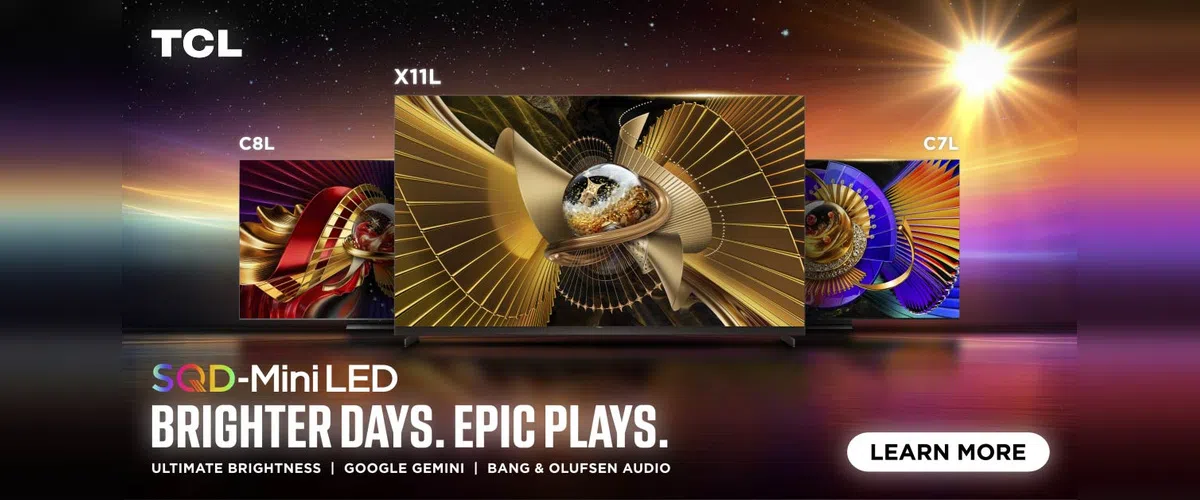
TV Power Consumption Basics
Screen Size And Brightness Do The Heavy Lifting
A larger screen has more panel area to illuminate, and brightness settings scale the load quickly. If your TV is running a high-output mode all day in a bright lounge, it’ll draw more power than it needs for everyday viewing.
HDR Can Increase Power Use
TVs that support HDR formats can push brighter highlights for that “pop” in bright sections. To do that, the TV often increases light output during those moments. HDR doesn’t mean the TV is blasting at full brightness constantly, but it does mean power draw can rise when a scene demands it.
What You Watch Changes The Load
Your TV will work differently depending on what’s on screen. Sport and news tend to keep the picture bright for long stretches, especially if there are large white graphics and scorebars. Movies and drama often sit darker overall, with occasional HDR peaks. Gaming depends on the title, and bright HUD-heavy games can keep parts of the screen lit for longer.
Settings Often Matter More Than The Tech Label
Whether your TV is QLED or QD-Mini LED, settings and habits usually drive the biggest savings. A sensible daytime mode, a calmer night mode, and trimming unnecessary processing features will typically reduce energy use while keeping the picture looking clean and premium.
Australia TV Energy Rating Labels
In Australia, new TVs are required to show an Energy Rating Label, and it’s the quickest way to compare TCL models in the size you’re shopping for. Focus on two parts of the label.
Star Rating (Efficiency)
The star rating tells you how efficient the TV is compared with similar products. More stars generally means lower running costs for the same kind of TV.
Estimated Energy Consumption (kWh)
The kWh figure is the practical number. Lower kWh means the TV uses less electricity over a year under the test assumptions, which usually translates to a lower bill. Use it to compare like-for-like TV sizes, since a 75-inch will nearly always use more than a 55-inch.
Quick Running Cost Check (kWh To Dollars)
To estimate annual cost, multiply the label’s kWh per year by your electricity rate from your bill. If you’re comparing two TVs in the same size, this gives you a clean way to see which one’s cheaper to run.
LED Vs Mini LED Power Use
LED And QLED Power Consumption
Most TVs use an LED backlight behind an LCD panel, with QLED adding a quantum dot layer for colour. Power use here tracks closely with screen size and brightness settings because the backlight is doing the heavy lifting. If you run a TV in a high-output mode all day in a bright room, you’ll typically see higher consumption than you would with a calmer everyday preset.
Mini LED Energy Use And Local Dimming
Mini LED models add far more precise backlight control through local dimming zones. That can reduce wasted light in darker parts of the picture, especially in movies and darker streaming shows, since the backlight doesn’t need to run evenly across the whole screen at the same level all the time.
In real homes, Mini LED efficiency still comes back to how hard you drive brightness. If your lounge is sunlit and you crank light output, the TV will draw more power. If you let local dimming do the work and set brightness for the room, Mini LED can give you strong picture quality without unnecessary energy use.
TV Eco Mode And The Settings That Actually Save Power
What Eco Mode Usually Changes On TCL TVs
On most TCL models, Eco or Energy Saving settings mainly reduce light output. That can happen through lower backlight, lower peak brightness, and sometimes an ambient light sensor that adapts the picture to the room. The power savings come from the TV doing less work to keep the screen bright.
When Eco Mode Works Well
Eco mode tends to suit casual viewing where you’re not chasing maximum punch. Think daytime news, kids’ shows, YouTube, or background TV while you’re doing other things. In those cases, the picture can still look clean, and you’ll usually see a worthwhile drop in energy use because brightness is the main driver.
When Eco Mode Hurts Picture Quality
Eco settings can make HDR look flat in bright rooms, since HDR relies on highlight brightness for impact. If you’re watching a movie at night and it feels dim or muted, Eco mode is often the reason. Sport can also look less lively if the TV is being too conservative with brightness.
The Best Compromise
Set up two modes you can switch between in seconds:
- A Day Mode with moderate brightness for daylight viewing
- A Movie Mode for night, with Eco features dialled back so HDR has room to breathe
If your TV has an ambient light sensor, it’s worth testing in Day Mode first. In rooms with changing light, it can save power without you constantly adjusting settings.
TV Energy Saving Checklist
- Check the Australian energy label on the exact TV size you’re buying, then compare the kWh figure across similar models.
- Set brightness for your room. If the picture looks good, it’s bright enough.
- Use Eco or Energy Saving settings for casual daytime viewing, then switch them off for HDR movie nights.
- Keep motion smoothing and extra processing features modest. Overcooking them rarely improves the picture, and it can add work for the TV.
- Review standby settings. If you don’t need fast start every day, turning it down can reduce background power use.
- Turn the TV off when no one’s watching. Background TV is one of the easiest habits to trim.
Choose An Energy Efficient TCL TV
Start by narrowing in on the size you want, then compare TV models using the Australian energy label for that exact size. It’s the fastest way to spot a lower-running-cost option before you even touch picture settings.
Browse the current range here:
Energy Efficiency Without Sacrificing Quality
Energy efficiency varies most by size and how bright you run the TV. Check the energy label on the exact size you’re buying for more information.
- TCL P7K
A smart baseline for daily viewing where you want good colour and solid performance without needing extreme brightness all day. - TCL C6K
Mini LED local dimming can avoid wasting light in darker scenes, which suits mixed viewing and helps keep settings sensible. - TCL NXTFRAME A300W
A good fit for glare-prone rooms because the matte screen approach can help you stay comfortable at lower brightness.
TV Energy Efficiency FAQ
Does Eco Mode Save Much Power On A TCL TV?
It often does, because it usually lowers screen brightness, and brightness is the biggest driver of TV power use. If you mainly watch news, daytime sport, or kids’ shows, Eco mode can be a set-and-forget win. For HDR movies, it can feel too dim, so many people treat it as a daytime setting.
Does HDR Use More Electricity?
HDR can increase power draw during scenes with bright highlights because the TV pushes more light output to deliver that punch. It won’t run at maximum the whole time, but a bright HDR sports broadcast or action movie can use more energy than standard TV at the same settings.
Is A Bigger TV Always More Expensive To Run?
In most cases, yes. Bigger screens need more light and more panel area, so the energy label for a 75-inch will usually be higher than a 55-inch in the same range. Compare TV models by checking the energy label on the exact size you’re buying.
What’s The Best Setting Change For Lower Power With Minimal Picture Impact?
Reduce brightness to the point where whites still look clean and colours stay lively in your room. If the picture still looks great, you’re not losing quality, you’re cutting wasted light. Pair that with a simple two-mode setup: a daytime preset and a night movie preset.

Tips

Tips

Sports & Streaming With TCL
2026-09-07
Tips

Tips


What Google TV Brings To TCL Smart TVs
2026-04-15
Tips


The Best Large Screen TCL TVs In 2026
2026-04-01
Tips

Tips


Tips

Tips

Tips

What Size TV Do You Really Need?
2026-02-25
Blog
New Tech

Best TCL TV For Bright Rooms
2026-02-25
Blog
New Tech

Gaming TV Buying Guide 2026
2026-02-25
Blog
New Tech

Tips

Tips

Blog
New Tech

Tips

Tips

Tips

The Ultimate Guide to Air Conditioner Modes
2025-02-26
Tips


Tips

Tips
Tips

Tips

New Tech


New Tech

New Tech

Tips

Tips
Air Conditioner Playbooks

Holiday Season
2023-12-17
Events

Be cool this summer
2023-12-17
New Tech

2023 Black Friday Sales
2023-11-16
Events


Events


The Evolution of TVs: What is a Smart TV?
2023-08-30
Tips


Tips

TCL 2023 TV Product Range Launch
2023-07-25
New Tech

TCL Celebrates New AFL Sponsorship From 2023
2023-07-18
Partnership

MiniLED vs OLED. A comparison
2023-07-11
New Tech

What is Quantam dot technology for Tv's
2023-07-04
New Tech

AFL powered by TCL Electronics
2023-04-13
Partnership


Boxing Day Sales 2022
2022-12-21
Tips

New Tech

Renegades Partner with TCL Electronics
2022-11-29
Events

TV: To Mount or Not to Mount?
2022-11-29
Tips

New Tech

New Tech

New Tech

Looking for a Big Screen TV?
2022-11-08
New Tech

New Tech

New Tech

The C9 Series – TCL's Best 4K TVs
2022-11-01
New Tech

Black Friday Sales Plus Cyber Monday 2022
2022-10-25
Events

Men's T20 Cricket World Cup 2022 Australia
2022-10-25
Events

TCL Sponsors Melbourne Cup 2022
2022-10-18
Events

Is it Time to Upgrade Your TV?
2022-10-04
New Tech
Best Streaming Apps 2022
2022-09-27
New Tech

TCL X9 Series TVs
2022-09-20
New Tech

Events

Men's AFL Grand Final 2022
2022-09-06
Events

IFA


New Tech


2022 TCL TV Range Launch
2022-08-03
New Tech

Google TV vs Android TV
2022-06-06
New Tech

What is Google TV?
2022-06-03
New Tech

MiniLED vs OLED
2022-05-23
New Tech

Watch Australian NRL on Your TCL Television
2022-05-21
Tips

Tips

How to Watch AFL on Your TCL TV
2022-05-14
Tips

TCL Ray Danz Soundbar Reviews
2022-05-10
New Tech

Fridge Buying Guide
2022-05-05
Tips

Tips

Freezer Buying Guide
2022-04-20
Tips

New Tech

Watching Soccer on Your TCL Television
2022-04-11
New Tech

Call of Duty: Vanguard
2022-01-05
New Tech

Soundbar Buying Guide
2021-12-29
Tips

Boxing Day 2021
2021-12-17
Events

The TCL C735 98" TV Overview
2021-12-15
New Tech

New Tech

What is the Ideal TCL TV for You?
2021-12-01
Tips

Smart TV and HD Televisions
2021-11-24
New Tech


TCL Black Friday and Cyber Monday 2021
2021-11-18
Events

TCL's Latest Australian Product Range
2021-11-17
New Tech

Is My TV a Smart TV?
2021-11-03
New Tech

How To Connect A DVD Player To A Television
2021-10-27
New Tech
New Tech

What Is a Mini-LED TV and Do You Need It?
2021-10-06
New Tech

Laser TV: Options, Specifications & Quality
2021-09-29
New Tech

Tips

New Tech

New Tech

New Tech

New Tech

How To Set Up Google Home on TCL TVs
2021-08-30
Tips

New Tech

New Tech

Top Mount Fridge: The Ultimate Buying Guide
2021-08-02
New Tech

Finding the Perfect Bar Fridge
2021-07-26
Tips

Best Budget Sound Bar For Your TV
2021-07-19
Tips

Choosing & Finding Sound Bars For Your TV
2021-07-12
Tips

New Tech

8K TV
2021-06-28
New Tech

Thinking of buying a 4K TV?
2021-06-21
New Tech

Why buy a 75 Inch TV?
2021-06-14
Tips

How to choose the best Smart TV for you
2021-05-31
Tips

Tips

Tips

TV Buying Guide: 6 Things You Need To Know
2021-05-17
Tips

Tips

New Tech

Android or Smart TV - What's the Difference?
2021-03-05
Tips

Top New TV Shows on Stan 2021
2021-02-26
Tips

Australian Sports We Love to Watch
2021-02-19
Tips

Tips

Top 10 Most Expensive TV Shows Ever Made
2021-02-05
Tips


New Tech

Boxing Day Sales in Australia
2020-12-11
Tips

Tips

How to Take Movie Night to the Next Level
2020-11-27
Tips

New Tech

Tips

Black Friday TV Deals
2020-11-06
Tips

Tips

Choosing the Right TCL Soundbar
2020-10-26
Tips

The New TCL X915 8K QLED Android TV
2020-09-15
New Tech

Mounting Your TV: What You Need To Know
2020-08-08
Tips

The New 2020 TCL P715 4K QUHD Android TV
2020-07-24
New Tech

Tips

New Tech

Tips


Tips

Tips

New Tech

How to Successfully Host an AFL Party
2020-03-12
Tips

Product Spotlight: Series X X7 QLED TV AI-IN
2020-02-03
Tips

Tips

Tips

How to Decorate a Room Around Your TV
2019-10-14
Tips

Tips

FIBA Basketball World Cup 2019
2019-08-26
Events

Tips

The Evolution of TV in Australia
2019-07-16
Tips

How to Buy a Premium TV on a Budget
2019-06-26
Tips

New Tech

2019 Q1 Shipment Release
2019-04-17
New Tech

8K TV and the Future
2019-04-01
New Tech

New Tech


New Tech


Events

Great Christmas Tech Gift Ideas From TCL
2018-11-19
Tips

Events

The Melbourne Spring Racing Carnival
2018-10-31
Events

The Perfect Sports and Gaming TV
2018-09-20
Tips

New Tech

Events

What is Chromecast & Why do I Need it?
2018-08-20
Tips

Buying a TV? Which TV Should You Buy?
2018-07-06
Tips


New Tech


Events

QLED vs OLED – What is the difference?
2018-04-10
Tips

Google Assistant & Artificial Intelligence
2018-03-23
New Tech

New Tech

Neymar Appointed TCL Ambassador
2018-02-13
Events

TCL Named CES 2018 Innovation Awards Honoree
2018-01-31
Events

Events

New Tech

Events

New Tech

Tips

Events


Events

TCL Android TV has arrived
2017-06-17
New Tech

5 Reasons Why You Need Netflix
2017-06-08
Tips

5 Reasons Why You Need Smart TV
2017-06-08
Tips

TCL Smart TV & FreeView
2017-06-08
New Tech

Which size TCL TV is best for you?
2017-06-08
Tips

Melbourne Victory partners with TCL
2017-01-17
News

News

Events

News



This site uses cookies to analyse site traffic, improve your experience and personalize ads or other contents. By clicking Accept or continuing to browse the site, you are agree to our use of cookies. See our Cookies Policy here. Learn more