Choose other country to get service
What Google TV Brings To TCL Smart TVs
2026-04-15
2026-04-15
Share


A new TV should feel right from the first time you power it on. That’s the real value of Google TV on TCL Smart TVs. It brings streaming apps, recommendations, Chromecast built-in, voice control and compatible smart home features into one familiar viewing experience. For new TCL owners, renters and families, that means less frustration and more enjoyable watching.
One Home Screen For Everyday Streaming
Google TV gives your TCL Smart TV a clear home base. Movies, shows, apps and recommendations sit together in one place, which makes the TV feel more like part of your routine and less like another device to manage.
Easier Access To Streaming Apps
TCL Google TV models are designed around the streaming habits most households already have. You can access entertainment apps through the Google TV interface and Google Play, with availability depending on your model, location and subscription. For Australian homes, that might mean catching up on YouTube, settling into a movie night, opening a sports stream, or switching to a kids’ show when the lounge gets busy.
The important part is how natural it feels. If you already use Google services on your phone or laptop, the TV experience feels familiar quickly. That’s especially useful when you’ve moved into a rental, upgraded from an older TV, or set up a second screen in a bedroom or shared space.
Recommendations That Reduce Scrolling
The best smart TV experience helps you find something before everyone gives up and reaches for their phone. Google TV can bring recommendations into the home screen based on what you watch, save and search for, so the next choice can feel a little closer to the surface.
Chromecast Built-In Makes Sharing Simple
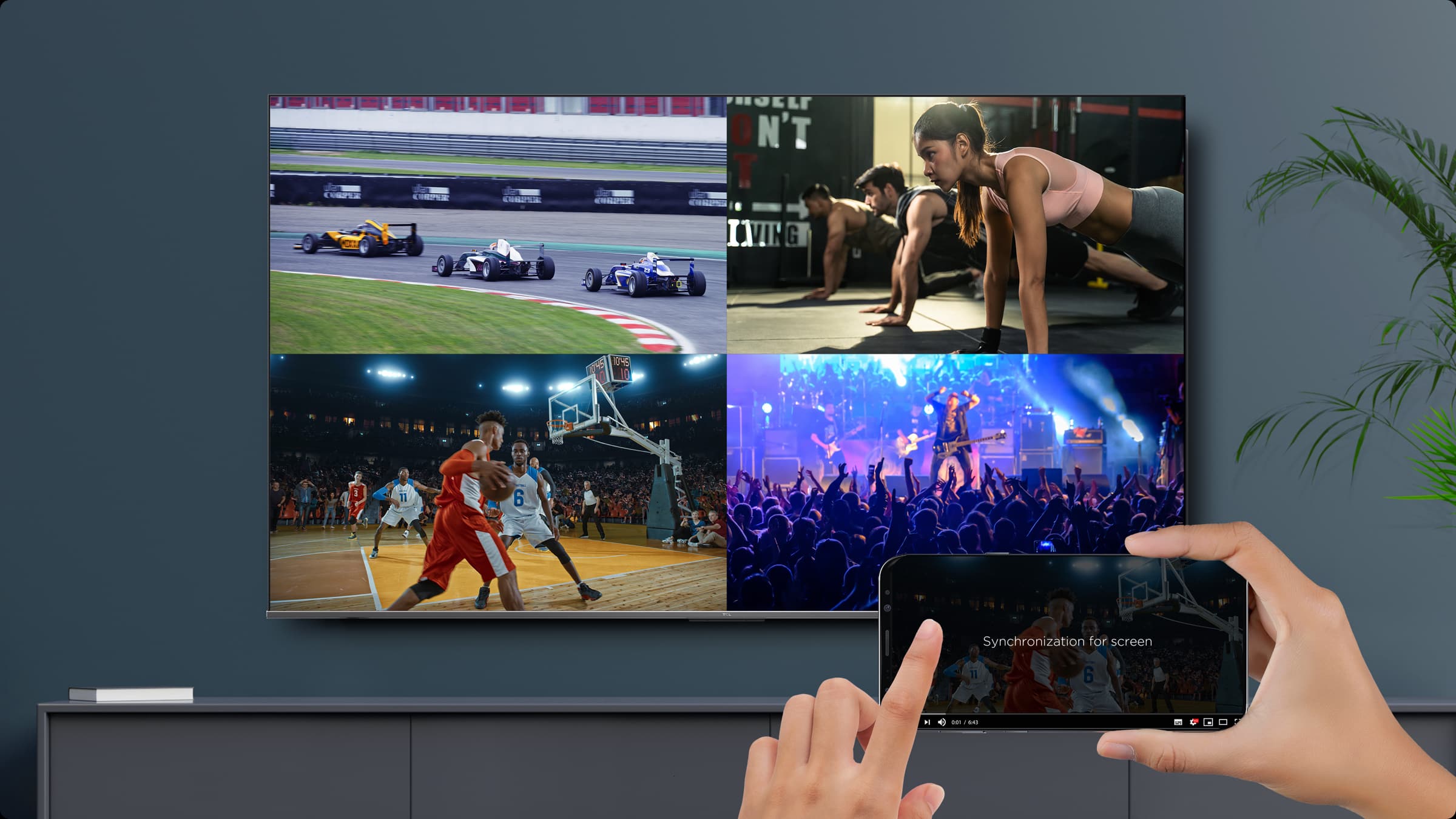
Chromecast built-in is one of those features people start using more once they realise how handy it is. It lets you send compatible content from a phone, tablet or laptop to the TV, so the small-screen thing you found becomes something everyone can see.
Great For Quick Family Moments
Family viewing often happens in quick, unplanned moments. It might be a school concert clip, a recipe video, a photo from the weekend, or a trailer someone found while sitting on the couch. Chromecast built-in makes those moments easier because the TV can become the shared screen in seconds.
Voice Search & Smart Control From The Couch
Typing with a TV remote has never been anyone’s favourite part of streaming. Voice control helps remove that little frustration, especially when the title is long, the kids are impatient, or you can’t remember the exact name of what you’re looking for.
Search Without Typing
On compatible TCL Google TV models, Google Assistant can help with content searches and playback commands. You might search by actor, genre, movie title, kids’ show or YouTube topic. That’s far easier than tapping through an on-screen keyboard, especially on a busy weeknight.
It also helps when you know the kind of thing you want and the exact title hasn’t come to mind. Asking for comedies, cooking videos, action movies or family films feels more natural than scrolling through rows of tiles and hoping something jumps out.
Control Compatible Smart Home Devices
Google TV can also connect with compatible smart home devices. Depending on your setup, that can mean controlling connected lights, thermostats and other supported devices from the TV experience or through voice commands.
Compatibility matters here. Smart home features depend on the device, app, account and home setup. When everything lines up, it’s a neat fit for open-plan living: the TV becomes part of the room and the connected home routine.
Why Google TV Works Well For TCL Owners
A TCL Smart TV works best when strong screen technology is paired with a smart platform that people can understand quickly.
Simple For First-Time Smart TV Buyers
If you’re upgrading from an older TV, Google TV helps smooth the jump. You still get the bigger screen and better picture, while the smart interface keeps the entertainment side approachable. Apps, search, casting and recommendations feel familiar quickly, so the TV doesn’t feel like a new gadget you need to study.
Practical For Families
A shared TV has to handle different moods across the same day. Morning cartoons, afternoon YouTube, sport, music, movie night and background viewing all ask different things from the screen.
This gives families one central place to move between those habits, while TCL’s broader Smart TV range gives households room to choose the size and display technology that suits the space.
What To Know Before Setup
Smart TV setup is much easier when the basics are ready before you sit down with the remote. These points keep expectations realistic and help the first night run smoothly:
- A reliable internet connection helps streaming run smoothly.
- A Google account unlocks the fuller Google TV experience.
- A TCL account may be needed for selected TCL smart features.
- Some apps require separate subscriptions, downloads or purchases.
- Chromecast and smart home control depend on compatible apps, devices and account settings.
Google TV Features At A Glance
| Google TV Feature | What It Helps With | Everyday Example |
| Streaming Apps | Easier access to entertainment | Open Netflix, Stan, Prime Video, YouTube or other available apps from one TV interface |
| Recommendations | Faster content discovery | Find movie night options without scrolling through every app |
| Chromecast Built-In | Sharing from devices | Cast a YouTube clip, photos or a playlist from a compatible phone, tablet or laptop |
| Google Assistant | Voice search and control | Search for a movie, actor, genre or compatible app using voice commands |
| Smart Home Compatibility | Connected home convenience | Control compatible lights or other connected devices from the lounge |
Easy Viewing Starts With TCL Google TV
Google TV brings the everyday parts of smart viewing into one cleaner experience. Apps are easier to reach, recommendations can reduce the nightly scroll, Chromecast built-in makes sharing simple, and voice control helps you get to entertainment faster.
To find a TCL TV that suits your home, start with TCL Google TVs, or explore the full TCL TV lineup in Australia.
TCL Google TV FAQ
Do TCL Smart TVs Have Google TV?
Many TCL Smart TVs in Australia use Google TV. Features and platforms can vary by model, so check the product page for the exact TCL TV you’re considering.
What Is Chromecast Built-In On A TCL TV?
Chromecast built-in lets you cast compatible entertainment from a phone, tablet or laptop to your TV. It’s useful for YouTube clips, photos, playlists, trailers and other quick sharing moments.
Can I Use Voice Control On A TCL Google TV?
On compatible TCL Google TV models, Google Assistant can help with voice search, playback and selected smart home commands. Exact features depend on the TV, remote, app and account setup.
Do I Need A Google Account To Use Google TV?
A Google account helps unlock the fuller Google TV experience, including personalised recommendations, app access and watchlist features. Some apps and services may also need their own subscriptions.
Can TCL Google TV Work With Smart Home Devices?
Yes, where compatible devices and accounts are connected. Depending on your setup, you may be able to control supported lights, thermostats and other smart home devices from the Google TV experience.

Tips

Tips


Tips


What Google TV Brings To TCL Smart TVs
2026-04-15
Tips


The Best Large Screen TCL TVs In 2026
2026-04-01
Tips

Tips


Tips

Tips

Tips

What Size TV Do You Really Need?
2026-02-25
Blog
New Tech

Best TCL TV For Bright Rooms
2026-02-25
Blog
New Tech

Gaming TV Buying Guide 2026
2026-02-25
Blog
New Tech

Tips

Tips

Blog
New Tech

Tips

Tips

Tips

The Ultimate Guide to Air Conditioner Modes
2025-02-26
Tips


Tips

Tips
Tips

Tips

New Tech


New Tech

New Tech

Tips

Tips

Air Conditioner Playbooks

Holiday Season
2023-12-17
Events
Be cool this summer
2023-12-17
New Tech

2023 Black Friday Sales
2023-11-16
Events


Events


The Evolution of TVs: What is a Smart TV?
2023-08-30
Tips


Tips

TCL 2023 TV Product Range Launch
2023-07-25
New Tech

TCL Celebrates New AFL Sponsorship From 2023
2023-07-18
Partnership

MiniLED vs OLED. A comparison
2023-07-11
New Tech

What is Quantam dot technology for Tv's
2023-07-04
New Tech

AFL powered by TCL Electronics
2023-04-13
Partnership


Boxing Day Sales 2022
2022-12-21
Tips

New Tech

Renegades Partner with TCL Electronics
2022-11-29
Events

TV: To Mount or Not to Mount?
2022-11-29
Tips

New Tech

New Tech

New Tech

Looking for a Big Screen TV?
2022-11-08
New Tech

New Tech

New Tech

The C9 Series – TCL's Best 4K TVs
2022-11-01
New Tech

Black Friday Sales Plus Cyber Monday 2022
2022-10-25
Events

Men's T20 Cricket World Cup 2022 Australia
2022-10-25
Events

TCL Sponsors Melbourne Cup 2022
2022-10-18
Events

Is it Time to Upgrade Your TV?
2022-10-04
New Tech

Best Streaming Apps 2022
2022-09-27
New Tech

TCL X9 Series TVs
2022-09-20
New Tech

Events

Men's AFL Grand Final 2022
2022-09-06
Events

IFA


New Tech


2022 TCL TV Range Launch
2022-08-03
New Tech

Google TV vs Android TV
2022-06-06
New Tech

What is Google TV?
2022-06-03
New Tech

MiniLED vs OLED
2022-05-23
New Tech

Watch Australian NRL on Your TCL Television
2022-05-21
Tips

Tips

How to Watch AFL on Your TCL TV
2022-05-14
Tips

TCL Ray Danz Soundbar Reviews
2022-05-10
New Tech

Fridge Buying Guide
2022-05-05
Tips

Tips

Freezer Buying Guide
2022-04-20
Tips

New Tech

Watching Soccer on Your TCL Television
2022-04-11
New Tech

Call of Duty: Vanguard
2022-01-05
New Tech

Soundbar Buying Guide
2021-12-29
Tips

Boxing Day 2021
2021-12-17
Events

The TCL C735 98" TV Overview
2021-12-15
New Tech

New Tech

What is the Ideal TCL TV for You?
2021-12-01
Tips

Smart TV and HD Televisions
2021-11-24
New Tech


TCL Black Friday and Cyber Monday 2021
2021-11-18
Events

TCL's Latest Australian Product Range
2021-11-17
New Tech

Is My TV a Smart TV?
2021-11-03
New Tech

How To Connect A DVD Player To A Television
2021-10-27
New Tech
New Tech

What Is a Mini-LED TV and Do You Need It?
2021-10-06
New Tech

Laser TV: Options, Specifications & Quality
2021-09-29
New Tech

Tips

New Tech

New Tech

New Tech

New Tech

How To Set Up Google Home on TCL TVs
2021-08-30
Tips

New Tech

New Tech

Top Mount Fridge: The Ultimate Buying Guide
2021-08-02
New Tech

Finding the Perfect Bar Fridge
2021-07-26
Tips

Best Budget Sound Bar For Your TV
2021-07-19
Tips

Choosing & Finding Sound Bars For Your TV
2021-07-12
Tips

New Tech

8K TV
2021-06-28
New Tech

Thinking of buying a 4K TV?
2021-06-21
New Tech

Why buy a 75 Inch TV?
2021-06-14
Tips

How to choose the best Smart TV for you
2021-05-31
Tips

Tips

Tips

TV Buying Guide: 6 Things You Need To Know
2021-05-17
Tips

Tips

New Tech

Android or Smart TV - What's the Difference?
2021-03-05
Tips

Top New TV Shows on Stan 2021
2021-02-26
Tips

Australian Sports We Love to Watch
2021-02-19
Tips

Tips

Top 10 Most Expensive TV Shows Ever Made
2021-02-05
Tips


New Tech

Boxing Day Sales in Australia
2020-12-11
Tips

Tips

How to Take Movie Night to the Next Level
2020-11-27
Tips

New Tech

Tips

Black Friday TV Deals
2020-11-06
Tips

Tips

Choosing the Right TCL Soundbar
2020-10-26
Tips

The New TCL X915 8K QLED Android TV
2020-09-15
New Tech

Mounting Your TV: What You Need To Know
2020-08-08
Tips

The New 2020 TCL P715 4K QUHD Android TV
2020-07-24
New Tech

Tips

New Tech

Tips


Tips

Tips

New Tech

How to Successfully Host an AFL Party
2020-03-12
Tips

Product Spotlight: Series X X7 QLED TV AI-IN
2020-02-03
Tips

Tips

Tips

How to Decorate a Room Around Your TV
2019-10-14
Tips

Tips

FIBA Basketball World Cup 2019
2019-08-26
Events

Tips

The Evolution of TV in Australia
2019-07-16
Tips

How to Buy a Premium TV on a Budget
2019-06-26
Tips

New Tech

2019 Q1 Shipment Release
2019-04-17
New Tech

8K TV and the Future
2019-04-01
New Tech

New Tech


New Tech


Events

Great Christmas Tech Gift Ideas From TCL
2018-11-19
Tips

Events

The Melbourne Spring Racing Carnival
2018-10-31
Events

The Perfect Sports and Gaming TV
2018-09-20
Tips

New Tech

Events

What is Chromecast & Why do I Need it?
2018-08-20
Tips

Buying a TV? Which TV Should You Buy?
2018-07-06
Tips


New Tech


Events

QLED vs OLED – What is the difference?
2018-04-10
Tips

Google Assistant & Artificial Intelligence
2018-03-23
New Tech

New Tech

Neymar Appointed TCL Ambassador
2018-02-13
Events

TCL Named CES 2018 Innovation Awards Honoree
2018-01-31
Events

Events

New Tech

Events

New Tech

Tips

Events


Events

TCL Android TV has arrived
2017-06-17
New Tech

5 Reasons Why You Need Netflix
2017-06-08
Tips

5 Reasons Why You Need Smart TV
2017-06-08
Tips

TCL Smart TV & FreeView
2017-06-08
New Tech

Which size TCL TV is best for you?
2017-06-08
Tips

Melbourne Victory partners with TCL
2017-01-17
News

News

Events

News



This site uses cookies to analyse site traffic, improve your experience and personalize ads or other contents. By clicking Accept or continuing to browse the site, you are agree to our use of cookies. See our Cookies Policy here. Learn more