Choose other country to get service
What To Look For In A 65 Inch Smart TV In 2026
2026-04-01
2026-04-01
Share


A 65 inch smart TV is big enough that picture quality differences become easy to see. The right choice comes from focusing on the few features that genuinely change day-to-day viewing. Features like brightness and reflection handling for daytime sport, local dimming and contrast for movies, motion clarity for fast content, and the gaming essentials that keep play smooth.
With those priorities clear, it’s much easier to shortlist a TCL 65-inch model that fits your room, your habits, and your budget.
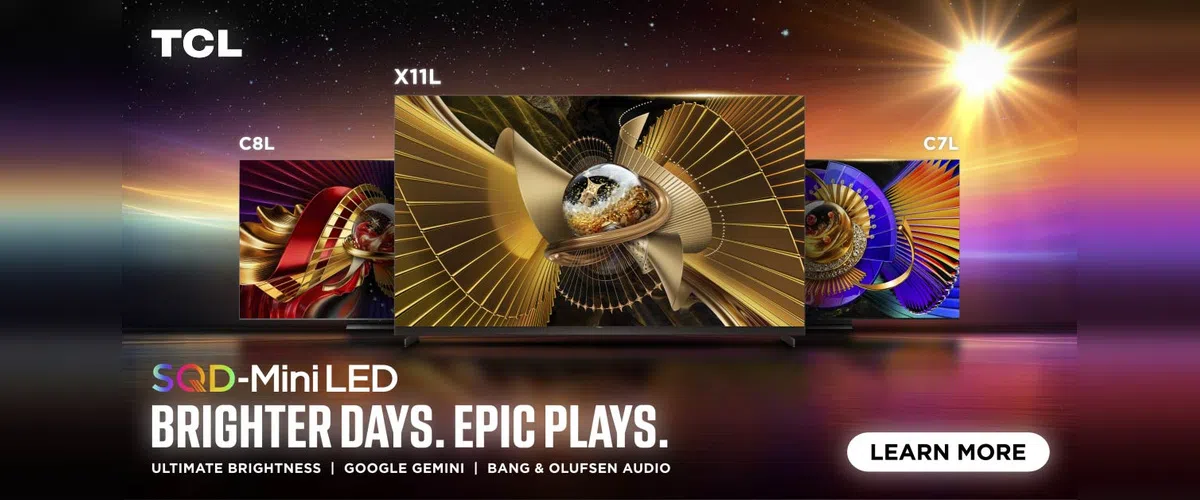
Why 65 Inches Is A Practical Sweet Spot
At 65 inches, the benefits of 4K resolution, HDR, and better backlight control become easy to see. It’s also a size that works with common lounge layouts, standard TV units, and most wall-mounting setups.
A comfortable viewing range for mixed content often sits around 2.3 to 3.0 metres. Closer seating suits 4K films and gaming. Further seating rewards brightness, motion handling, and clear upscaling for sport and free-to-air.
Quick Placement Checks
- Aim for the centre of the screen close to seated eye level.
- Keep strong window light off the panel where possible.
- Avoid downlights aimed directly at the screen.
Features To Look For In A 65 Inch Smart TV
Bright Room Performance & Reflections
Brightness is the first filter. A TV that holds brightness well keeps sport, news, and daytime streaming looking crisp, with colours that don’t fade out. Reflection handling is the second filter. A screen can be bright and still feel distracting if reflections bounce off the panel like a mirror.
When you’re comparing models, focus on how the TV behaves in normal viewing modes, not a single showroom demo setting. Features like low-reflection films and matte-style screens can also improve comfort in rooms with large windows or strong overhead lighting.
Contrast & Local Dimming
Contrast shapes depth. It affects how rich black bars look in films, how much detail you see in shadowy scenes, and how clean a bright highlight appears against a dark background.
Local dimming helps by controlling sections of the backlight. It’s most obvious in scenes with mixed brightness, such as subtitles over dark content, city lights at night, and scoreboards during night matches.
QLED Vs QD-Mini LED
QLED is a colour technology. It’s designed to deliver strong colour volume, so bright scenes stay vibrant and skin tones hold their balance. It’s a great match for sport, animation, and general streaming.
QD-Mini LED combines a quantum dot colour layer with a Mini LED backlight and local dimming. That combination targets higher contrast, stronger HDR highlights, and more control in tricky scenes. For many buyers, this is the tier that makes movies look more dimensional, especially in a darker room.
HDR Support
HDR matters when the TV can show bright highlights and deep shadows in the same scene without losing detail. Streaming services and consoles often use formats like HDR10+, Dolby Vision, and Dolby Vision IQ on supported titles and devices.
At 65 inches, HDR weaknesses become obvious fast. Look for a model that pairs HDR format support with brightness and local dimming performance, since those two elements shape the result on screen.
Motion Handling For Sport & Fast Content
Sport exposes motion issues quickly. You’ll see it in fast pans across the field, in the clarity of the ball, and in how readable scoreboards stay during movement.
A good motion setting keeps movement clean while preserving a natural look. It’s worth spending five minutes after setup to test a sport broadcast and adjust motion settings to taste.
Gaming Readiness
Gaming features improve responsiveness and smoothness. VRR helps when frame rates fluctuate. ALLM can switch the TV into a low-latency mode automatically when a console launches.
For a main lounge setup, it’s also worth checking how your soundbar connects. HDMI eARC keeps audio simple while freeing up other HDMI ports for consoles and streaming devices.
Gaming Checklist
- VRR support for smoother gameplay during variable frame-rate scenes.
- ALLM support for quick switching into a game-ready mode.
- HDMI eARC support if you’re adding a soundbar.
| TCL 65" Mode | Tier |
Display Tech | Key Picture Features | HDR & Audio | Best For |
| TCL C8K 65"l | Premium | QD-Mini LED / QLED, Precise Dimming (Full Array 1680 Zones) | Border-Free Vision, CrystGlow WHVA Panel | HDR10+ / 4500 Nits Peak Brightness, Audio by Bang & Olufsen | Bright rooms, HDR-first viewing |
| TCL C7K 65" | Upper Middle | QD-Mini LED / QLED, Precise Dimming (Full Array 1008 Zones) | AiPQ Pro Processor, CrystGlow HVA Panel | HDR10+ / 2600 Nits Peak Brightness, Audio by Bang & Olufsen | Balanced all-round lounge TV |
| TCL C6K 65" | Middle | QD-Mini LED / QLED, Precise Dimming (Full Array 242 Zones) | AiPQ Pro Processor | HDR10+, ONKYO 2.1 Ch Hi-Fi System with Built In Subwoofer | Mini LED step-up value |
| TCL P7K 65" | Value | QLED, 4K Ultra HD | AiPQ Processor | HDR10+, Dolby Vision - Atmos | Everyday streaming and sport |
| TCL NXTFRAME A300W 65" | Lifestyle | QLED Pro | Matte Screen, Art Gallery / "Ai" Art, Flat & Slim Frame Design | Dolby Vision IQ / Atmos, HDR10+ | Design-led rooms, reflection control |
Recommendations Based On Priorities
Priority: Bright Room Sport & Strong HDR
Recommended model: TCL C8K 65"
- High peak brightness and a high zone-count dimming system for this size.
- CrystGlow WHVA panel messaging focuses on contrast and low reflection characteristics.
- It’s a strong fit for buyers who want the most impact from HDR titles and daytime viewing.
Priority: All Rounder
Recommended model: TCL C7K 65"
- A balanced QD‑Mini LED tier with AiPQ Pro processing.
- A good match for mixed viewing: sport, streaming, and movie nights across the week.
- Gaming features that suit a lounge setup shared by multiple users.
Priority: Mini LED Performance With Mid-Tier Spend
Recommended model: TCL C6K 65"
- QLED colour and 4K resolution deliver a clean, lively picture for streaming and sport.
- Dolby Vision and Atmos.
- ALLM support is helpful for casual console sessions.
Priority: Design & Reflection Control
Recommended model: TCL NXTFRAME A300W 65"
- A matte screen and art-focused modes suit rooms where the TV is always visible.
- Dolby Vision IQ and Atmos, HDR10+, which supports a premium content experience.
- 144Hz VRR. Suitable for modern gaming setups.
Upgrade Your Viewing Experience
Browse TCL’s current Australia 65 inch range: TCL 65 Inch TVs
Read TCL’s technology explainer on QLED and QD‑Mini LED: TCL QLED vs QD‑Mini LED Technology
FAQs
How Far Should You Sit From A 65 Inch TV?
A common range is around 2.3 to 3.0 metres for mixed viewing. Closer seating suits 4K films and gaming, while further seating places more weight on brightness and motion clarity.
Is QD-Mini LED Worth It At 65 Inches?
If you watch a lot of films and series, especially at night, QD‑Mini LED’s local dimming and contrast control can deliver a clear improvement in depth and shadow detail.
Do You Need A Soundbar With A 65 Inch TV?
Built-in speakers can be fine for day-to-day viewing. A soundbar can add clearer dialogue and stronger impact for films and sport, especially in larger rooms.

Tips

Tips

Sports & Streaming With TCL
2026-09-07
Tips

Tips


What Google TV Brings To TCL Smart TVs
2026-04-15
Tips


The Best Large Screen TCL TVs In 2026
2026-04-01
Tips

Tips


Tips

Tips

Tips

What Size TV Do You Really Need?
2026-02-25
Blog
New Tech

Best TCL TV For Bright Rooms
2026-02-25
Blog
New Tech

Gaming TV Buying Guide 2026
2026-02-25
Blog
New Tech

Tips

Tips

Blog
New Tech

Tips

Tips

Tips

The Ultimate Guide to Air Conditioner Modes
2025-02-26
Tips


Tips

Tips
Tips

Tips

New Tech

New Tech

New Tech

Tips
Tips

Air Conditioner Playbooks

Holiday Season
2023-12-17
Events

Be cool this summer
2023-12-17
New Tech

2023 Black Friday Sales
2023-11-16
Events


Events


The Evolution of TVs: What is a Smart TV?
2023-08-30
Tips


Tips

TCL 2023 TV Product Range Launch
2023-07-25
New Tech

TCL Celebrates New AFL Sponsorship From 2023
2023-07-18
Partnership

MiniLED vs OLED. A comparison
2023-07-11
New Tech

What is Quantam dot technology for Tv's
2023-07-04
New Tech

AFL powered by TCL Electronics
2023-04-13
Partnership


Boxing Day Sales 2022
2022-12-21
Tips

New Tech

Renegades Partner with TCL Electronics
2022-11-29
Events

TV: To Mount or Not to Mount?
2022-11-29
Tips

New Tech

New Tech

New Tech

Looking for a Big Screen TV?
2022-11-08
New Tech

New Tech

New Tech

The C9 Series – TCL's Best 4K TVs
2022-11-01
New Tech

Black Friday Sales Plus Cyber Monday 2022
2022-10-25
Events

Men's T20 Cricket World Cup 2022 Australia
2022-10-25
Events

TCL Sponsors Melbourne Cup 2022
2022-10-18
Events

Is it Time to Upgrade Your TV?
2022-10-04
New Tech

Best Streaming Apps 2022
2022-09-27
New Tech

TCL X9 Series TVs
2022-09-20
New Tech

Events

Men's AFL Grand Final 2022
2022-09-06
Events

IFA


New Tech


2022 TCL TV Range Launch
2022-08-03
New Tech

Google TV vs Android TV
2022-06-06
New Tech

What is Google TV?
2022-06-03
New Tech

MiniLED vs OLED
2022-05-23
New Tech

Watch Australian NRL on Your TCL Television
2022-05-21
Tips

Tips

How to Watch AFL on Your TCL TV
2022-05-14
Tips

TCL Ray Danz Soundbar Reviews
2022-05-10
New Tech

Fridge Buying Guide
2022-05-05
Tips

Tips

Freezer Buying Guide
2022-04-20
Tips

New Tech

Watching Soccer on Your TCL Television
2022-04-11
New Tech

Call of Duty: Vanguard
2022-01-05
New Tech

Soundbar Buying Guide
2021-12-29
Tips

Boxing Day 2021
2021-12-17
Events

The TCL C735 98" TV Overview
2021-12-15
New Tech

New Tech

What is the Ideal TCL TV for You?
2021-12-01
Tips

Smart TV and HD Televisions
2021-11-24
New Tech


TCL Black Friday and Cyber Monday 2021
2021-11-18
Events

TCL's Latest Australian Product Range
2021-11-17
New Tech

Is My TV a Smart TV?
2021-11-03
New Tech

How To Connect A DVD Player To A Television
2021-10-27
New Tech

New Tech

What Is a Mini-LED TV and Do You Need It?
2021-10-06
New Tech

Laser TV: Options, Specifications & Quality
2021-09-29
New Tech

Tips

New Tech

New Tech

New Tech

New Tech

How To Set Up Google Home on TCL TVs
2021-08-30
Tips

New Tech

New Tech

Top Mount Fridge: The Ultimate Buying Guide
2021-08-02
New Tech

Finding the Perfect Bar Fridge
2021-07-26
Tips

Best Budget Sound Bar For Your TV
2021-07-19
Tips

Choosing & Finding Sound Bars For Your TV
2021-07-12
Tips

New Tech

8K TV
2021-06-28
New Tech

Thinking of buying a 4K TV?
2021-06-21
New Tech

Why buy a 75 Inch TV?
2021-06-14
Tips

How to choose the best Smart TV for you
2021-05-31
Tips

Tips

Tips

TV Buying Guide: 6 Things You Need To Know
2021-05-17
Tips

Tips

New Tech

Android or Smart TV - What's the Difference?
2021-03-05
Tips

Top New TV Shows on Stan 2021
2021-02-26
Tips

Australian Sports We Love to Watch
2021-02-19
Tips

Tips

Top 10 Most Expensive TV Shows Ever Made
2021-02-05
Tips


New Tech

Boxing Day Sales in Australia
2020-12-11
Tips

Tips

How to Take Movie Night to the Next Level
2020-11-27
Tips

New Tech

Tips

Black Friday TV Deals
2020-11-06
Tips

Tips

Choosing the Right TCL Soundbar
2020-10-26
Tips

The New TCL X915 8K QLED Android TV
2020-09-15
New Tech

Mounting Your TV: What You Need To Know
2020-08-08
Tips

The New 2020 TCL P715 4K QUHD Android TV
2020-07-24
New Tech

Tips

New Tech

Tips


Tips

Tips

New Tech

How to Successfully Host an AFL Party
2020-03-12
Tips

Product Spotlight: Series X X7 QLED TV AI-IN
2020-02-03
Tips

Tips

Tips

How to Decorate a Room Around Your TV
2019-10-14
Tips

Tips

FIBA Basketball World Cup 2019
2019-08-26
Events

Tips

The Evolution of TV in Australia
2019-07-16
Tips

How to Buy a Premium TV on a Budget
2019-06-26
Tips

New Tech

2019 Q1 Shipment Release
2019-04-17
New Tech

8K TV and the Future
2019-04-01
New Tech

New Tech


New Tech


Events

Great Christmas Tech Gift Ideas From TCL
2018-11-19
Tips

Events

The Melbourne Spring Racing Carnival
2018-10-31
Events

The Perfect Sports and Gaming TV
2018-09-20
Tips

New Tech

Events

What is Chromecast & Why do I Need it?
2018-08-20
Tips

Buying a TV? Which TV Should You Buy?
2018-07-06
Tips


New Tech


Events

QLED vs OLED – What is the difference?
2018-04-10
Tips

Google Assistant & Artificial Intelligence
2018-03-23
New Tech

New Tech

Neymar Appointed TCL Ambassador
2018-02-13
Events

TCL Named CES 2018 Innovation Awards Honoree
2018-01-31
Events

Events

New Tech

Events

New Tech

Tips

Events


Events

TCL Android TV has arrived
2017-06-17
New Tech

5 Reasons Why You Need Netflix
2017-06-08
Tips

5 Reasons Why You Need Smart TV
2017-06-08
Tips

TCL Smart TV & FreeView
2017-06-08
New Tech

Which size TCL TV is best for you?
2017-06-08
Tips

Melbourne Victory partners with TCL
2017-01-17
News

News

Events

News



This site uses cookies to analyse site traffic, improve your experience and personalize ads or other contents. By clicking Accept or continuing to browse the site, you are agree to our use of cookies. See our Cookies Policy here. Learn more